Appearance
Understanding Service Actions in RoverERP
1 min read
AdministrationAvailable Service Actions
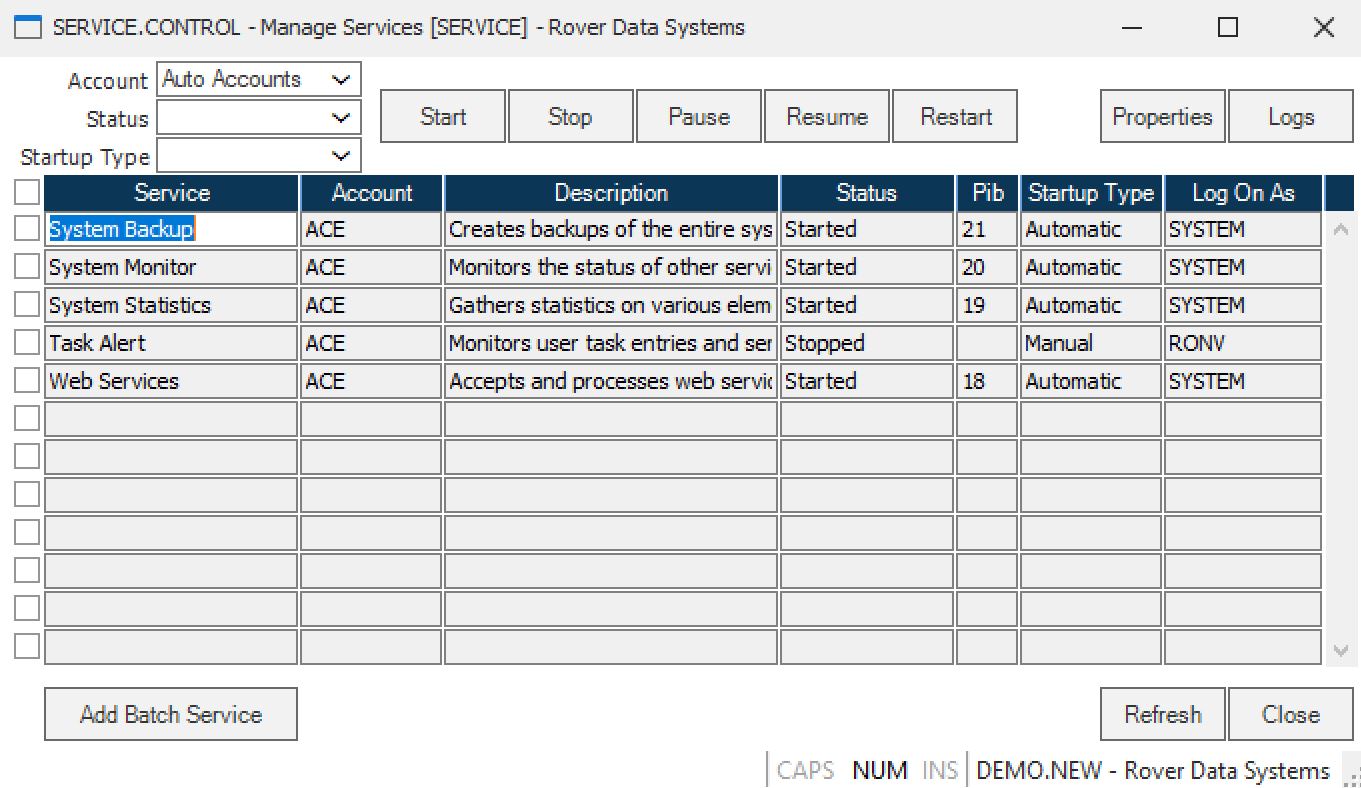
Select the line that contains the service you want to manage, then choose one of the following actions:
Start
This action will start the selected service.
Stop
This action will stop the selected service.
Pause
This action will pause the selected service.
Resume
This action will resume the paused selected service.
Restart
This action will restart the selected service. This option would be used to reset the service as if it were a new service.
Properties
This action will take you to the Service Properties screen (SERVICEPROP.E). Use this action to change properties of an existing service. From SERVICEPROP.E, you can access the other screens necessary in the service job setup.
Add Batch Service
This action will take you to the screen to set up a new service (BS.E). Use this action when a new service needs to be defined and created.
Refresh
This action will refresh the screen with the latest data.
Close
This action will close the active window and exit the procedure.