
Appearance
Unable to save a shipper in SHIP.E or SHIP.E2
1 min read
Things to check
1. Verify shipping carrier interface configuration
If the shipper is scheduled to ship via UPS or FedEx, follow these steps:
- Open SHIP.CONTROL (navigate to Sales/Marketing module > Data Entry menu)
- Go to the Interface Options tab
- Check if the company is interfacing or exchanging data with UPS or FedEx
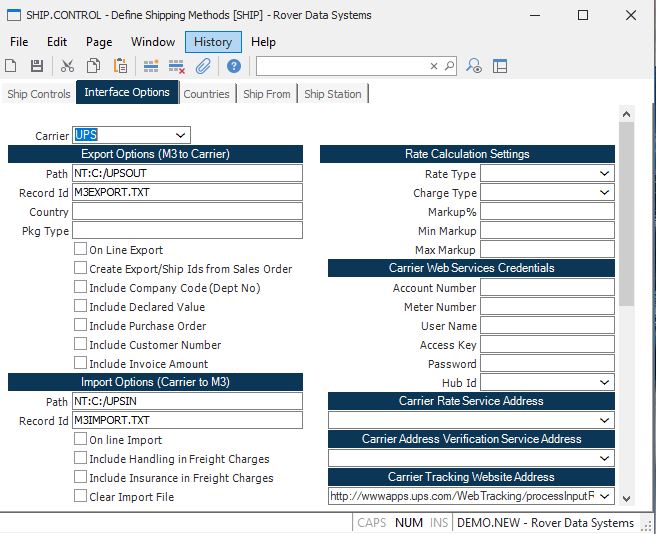
If you are exchanging data with either carrier, proceed to the next step.
2. Check operating system folder permissions
Contact your system administrator to verify that users have the necessary rights at the operating system level (Windows or Linux) to access the carrier interface folders.