
Appearance
Troubleshooting Application Crashing in RoverERP
1 min read
TroubleshootingResolution Steps
Check for Latest Version
From the main window, click Help > About to verify your current version. Ensure you are running the latest version. Release notes and downloads are available in RoverERP Release Notes.
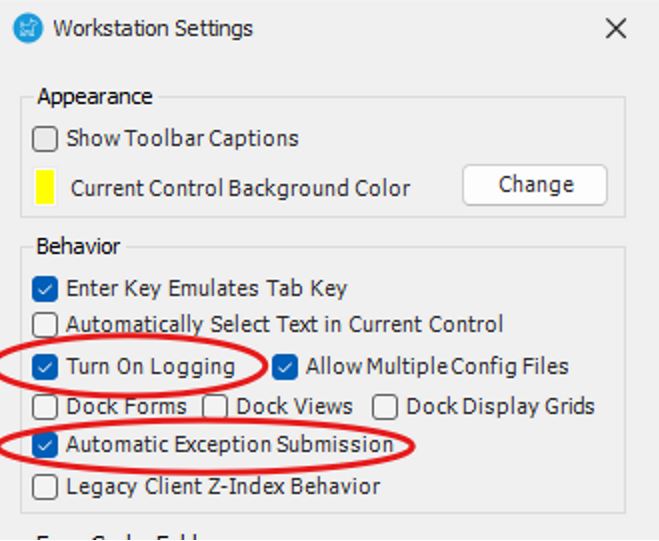
Enable Logging and Exception Submission
Go to File > Settings. Enable logging and exception submission to allow logs to be uploaded for support review.
Capture Information for Ticket Submission
Try to replicate the issue and note the following:
- Does it occur on multiple computers or for multiple users?
- Which module are you in when the crash occurs?
- Does it happen for a single record or multiple records (e.g., SO #, PO #, Part #)?
Record these details:
- Program version in use
- Account name
- Affected user(s)
- Any error windows or messages displayed
Submit a Support Ticket
Once you have gathered the above information, email help@zumasys.com to create a support ticket.