
# Using PURGE.CONTROL to Archive or Purge Data in RoverERP (For Versions Prior to 11-14-23)
Read Time: 2 minute(s)
# Problem Statement
Users need to archive or purge data from their RoverERP accounts, ensuring that historical data is retained in a separate history account if required.
# Symptoms
- Need to remove old data from a data account while optionally archiving it to a history account
- Requirement to keep different amounts of history for different files
# Cause
- Data retention policies or storage management requires periodic purging or archiving of historical records
- PURGE.CONTROL is used for this purpose in RoverERP versions prior to 11-14-23
# Resolution Steps
Note: The PURGE.CONTROL command only applies to customers on a version prior to 11-14-23. In later versions, use ARCHIVE.CONTROL.
Access PURGE.CONTROL
Open the PURGE.CONTROL procedure in RoverERP. (Replaced with Archive.Contrtol)
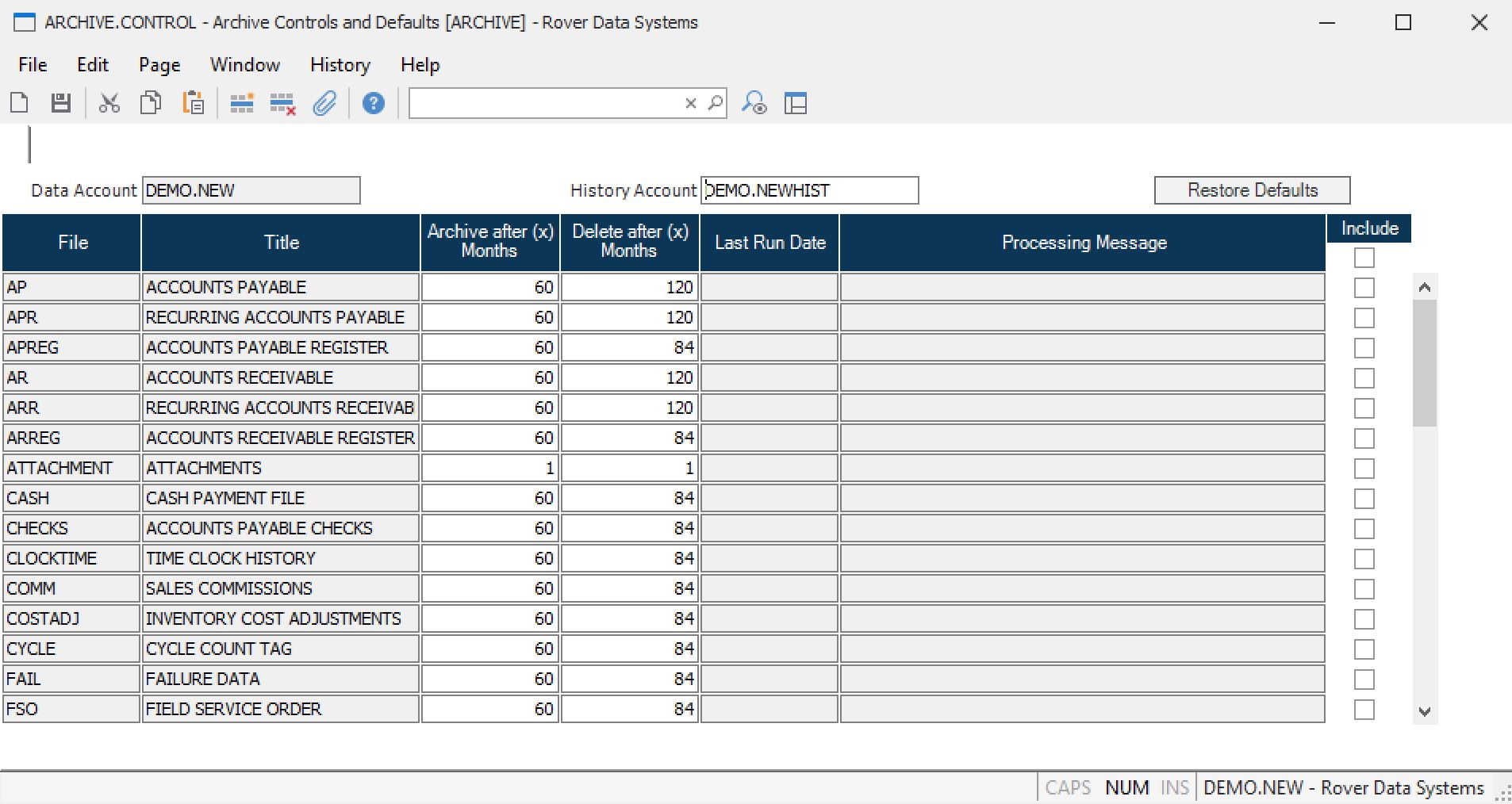
Specify the History Account
In the first field, enter the name of the history account where archived data should be stored.
- If a history account is entered, data will be written to this account before being deleted from the source account
- Each data account should have its own corresponding history account
- If no history account is entered, data will be purged (deleted) without being archived
Select Files to Archive or Purge
Use the lookup from the file name field to select files eligible for archiving or purging.
Set Cutoff Date and Include Files
Enter a cutoff date for data to be archived or purged. Check the include boxes for the files you want to process.
Run the Purge Process
You can run the purge process (for example, PARTS.P2) directly from the PURGE.CONTROL screen or independently.
- If run from PURGE.CONTROL and a history account is specified, data will be archived before deletion
- If run outside of PURGE.CONTROL, data will be deleted without archiving, even if a history account is specified in the control record
Repeat for Different Files and Retention Periods
To keep different amounts of history for different files, run PURGE.CONTROL multiple times with different settings, such as 2 years for IT and register files and 5 years for sales files.
# Verification
- [ ] Confirm that data is archived to the specified history account before deletion, if a history account is entered
- [ ] Verify that only data older than the cutoff date is purged
- [ ] Ensure that files not selected remain unaffected
# Note
- PURGE.CONTROL is only available for RoverERP versions prior to 11-14-23. For later versions, use ARCHIVE.CONTROL
- Always verify your version and back up data before performing purge or archive operations
# Additional Information
- For assistance with data archiving or purging, contact RoverERP support
- Document all purge and archive actions for audit and compliance purposes