
# Securing Accounts with ACCOUNT.CONTROL in RoverERP
Read Time: 2 minute(s)
# Problem Statement
Administrators need to control access to accounts in RoverERP by enabling or disabling security on an account-by-account basis.
# Symptoms
- Some accounts allow users to log in without a password
- Users exiting the menu are left at the system-level command prompt instead of being logged off
- There is a need to enforce password prompts and secure access for specific accounts
# Cause
- The ACCOUNT.CONTROL procedure determines whether an account is secured
- Accounts not listed in ACCOUNT.CONTROL, or listed without a Y, are considered unsecured and do not require a password for login
# Resolution Steps
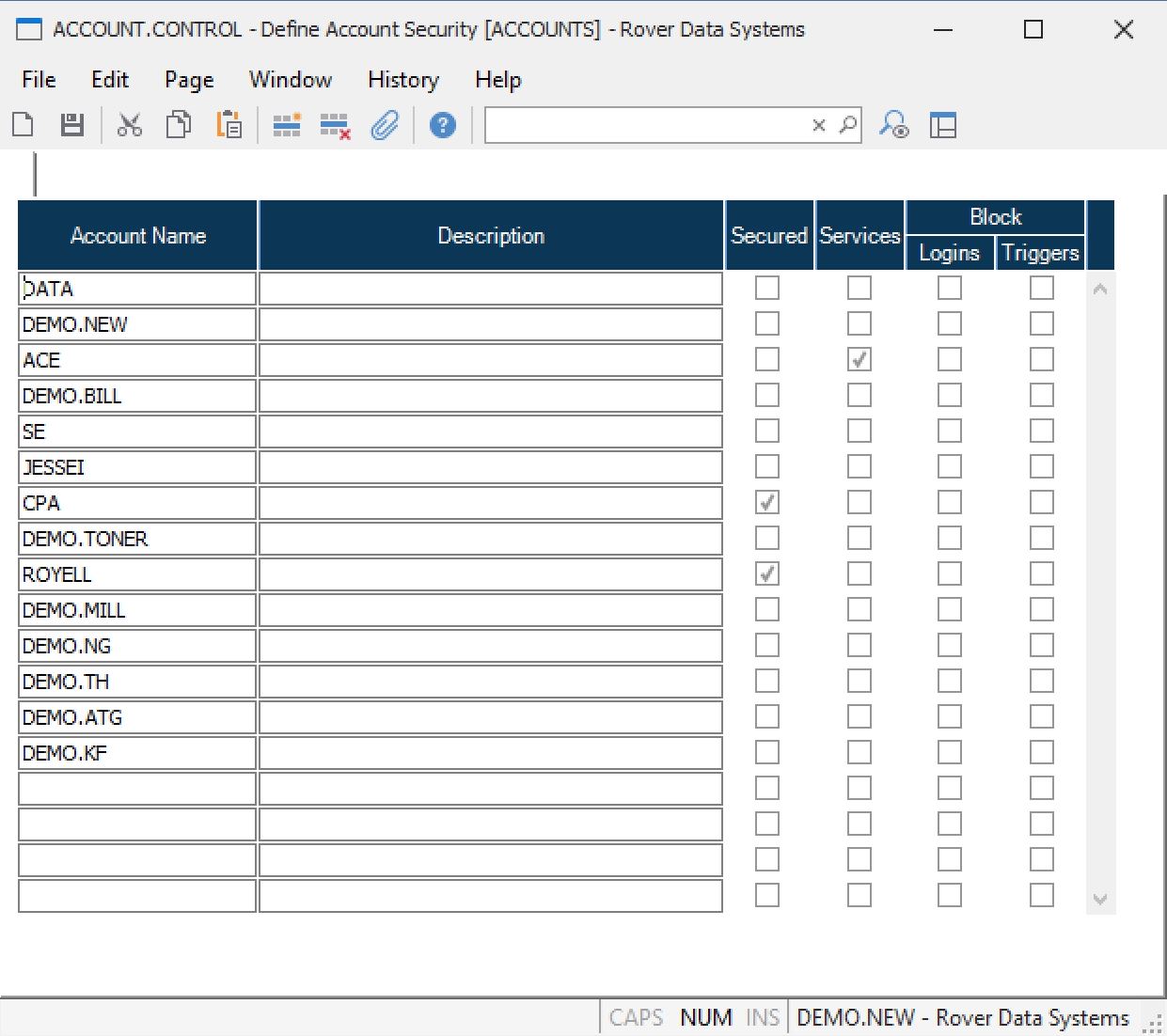
Access ACCOUNT.CONTROL
Navigate to: Security > ACCOUNT.CONTROL.
Secure an Account
Enter the account name in the list and set the value to Y to indicate the account should be secured.
Unsecured Accounts
Accounts not listed, or listed without a Y, will:
- Allow login with any user ID and will not prompt for a password
- Leave users at the system-level command prompt if they exit the menu (e.g., by pressing F1)
Secured Accounts
Accounts marked with a Y will:
- Prompt users for a password after entering their user ID
- Validate the password against the user profile
- Log users off when they exit the menu (e.g., by pressing F1)
# Verification
- [ ] Confirm that secured accounts require a password for login and log users off upon menu exit
- [ ] Verify that unsecured accounts do not prompt for a password and leave users at the command prompt upon exit
# Note
- Securing accounts is generally only required during initial system installation or when updating security policies
- Regularly review account security settings to maintain system integrity
# Additional Information
- For assistance with account security configuration, contact your system administrator or RoverERP support
- Document any changes to account security for audit and compliance purposes