
# Resolving USAGE.P1 Not Capturing Data for a Specific Period in RoverERP
Read Time: 2 minute(s)
# Problem Statement
USAGE.P1 did not report any data for a previous month or specific period, resulting in missing usage data.
# Symptoms
- USAGE.P1 reports are blank or missing data for a specific period (e.g., previous month)
- Usage data is incomplete or not updated as expected
# Cause
- USAGE.P1 may not have been scheduled or run as part of the NIGHTLY or MONTHLY batch process
- The service responsible for running USAGE.P1 may not have been started or may have failed during the relevant period
- If the service was not running, usage data for the missed period will not be captured automatically
# Resolution Steps
Confirm Batch Scheduling
- Open SERVICE.CONTROL from the command prompt
- Locate the Nightly or Monthly batch
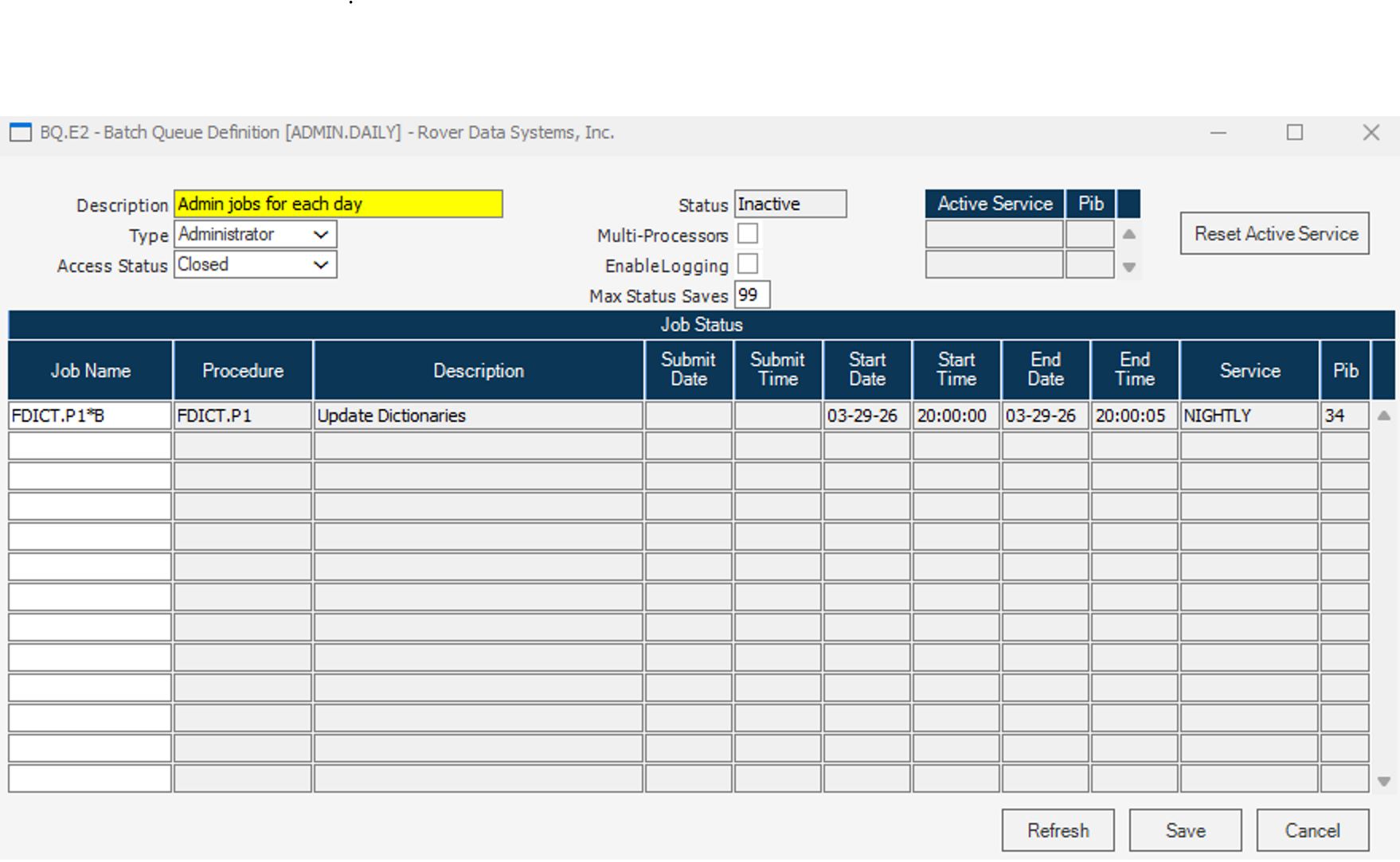
- Highlight the batch and click Properties > More Settings > Edit Queue
- Check if the USAGE.P1 job is listed in the Batch Queue Definition
Check Service Status
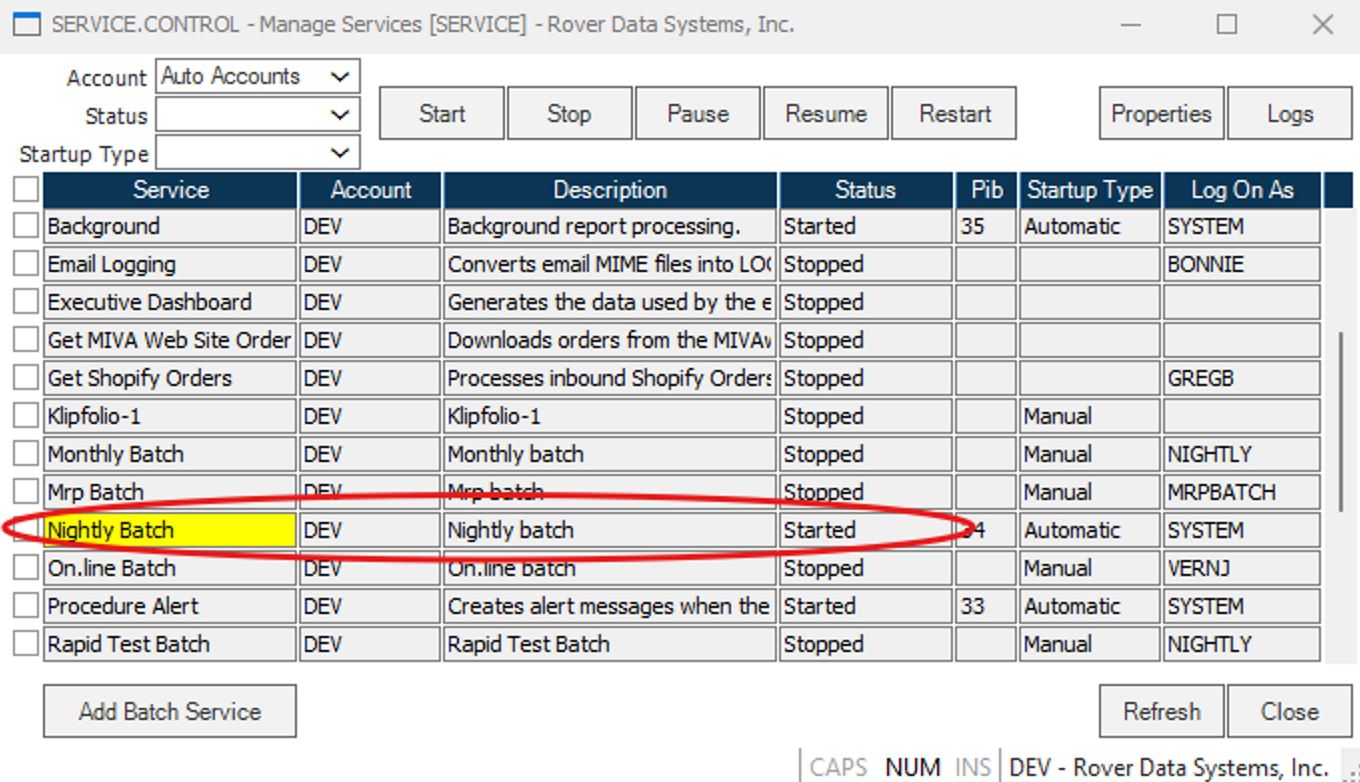
- Verify that the service responsible for running the batch is in a Started status
- If the service is not running, start it
Manually Run USAGE.P1 for Missed Periods
- If the service was not running or the job was missed, USAGE.P1 must be run manually for the affected period(s)
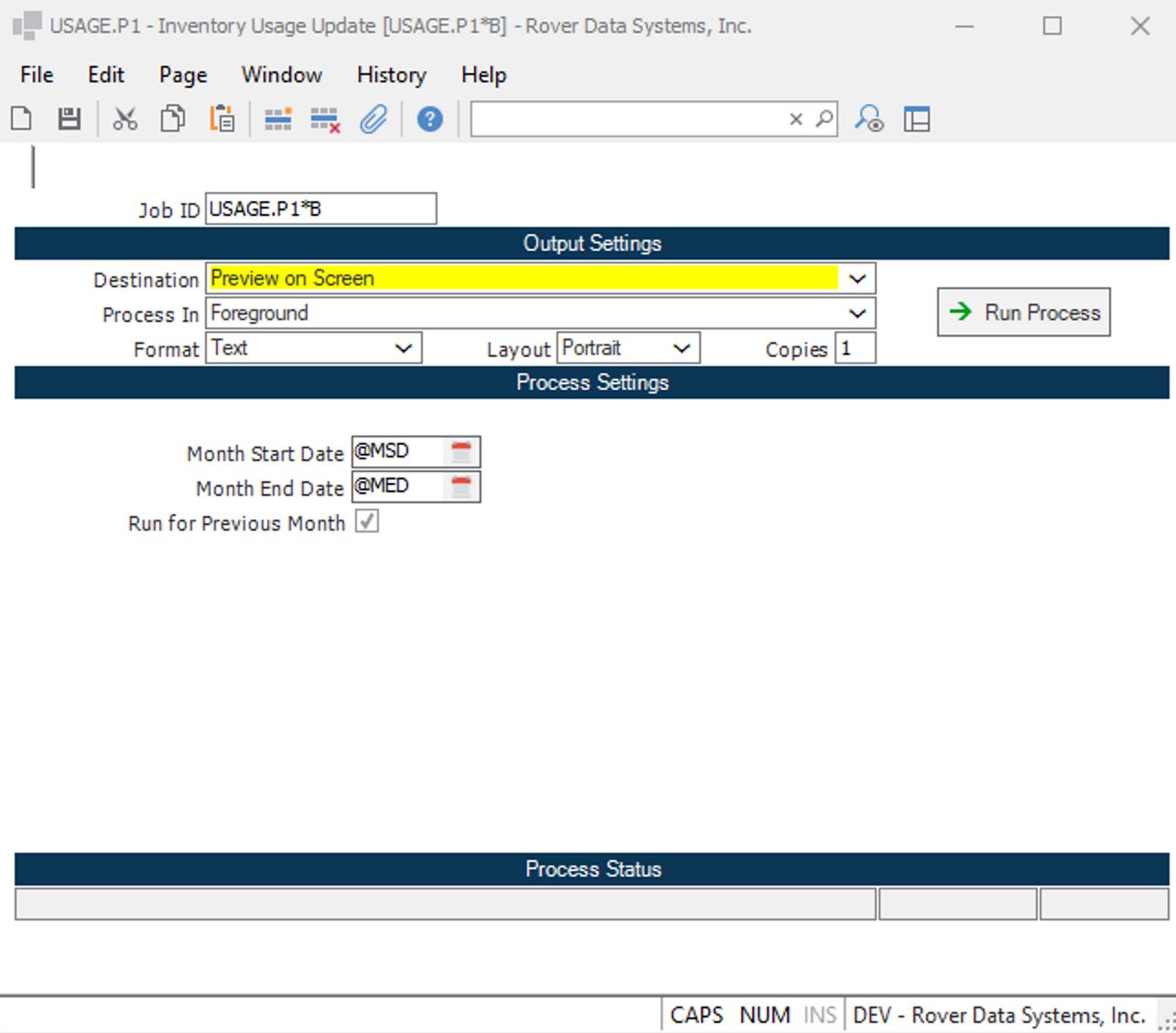
- At the command prompt, type USAGE.P1
- Provide the appropriate Job ID and set the dates for the period that needs to be processed
- If multiple periods are missing, process each period one at a time
# Verification
- [ ] Confirm that USAGE.P1 now reports data for the previously missing period(s)
- [ ] Ensure that usage data is complete and accurate for all required dates
# Note
- Always verify that batch jobs and services are scheduled and running as intended to prevent missed data in the future
- Document any manual runs of USAGE.P1 for audit and tracking purposes
# Additional Information
- For persistent issues or if you require assistance with batch scheduling, contact RoverERP support
- Regularly monitor batch job status and service logs to ensure all critical processes are running