
# Application Error Upon Logging In (Legacy Client)
Read Time: 2 minute(s)
# Problem Statement
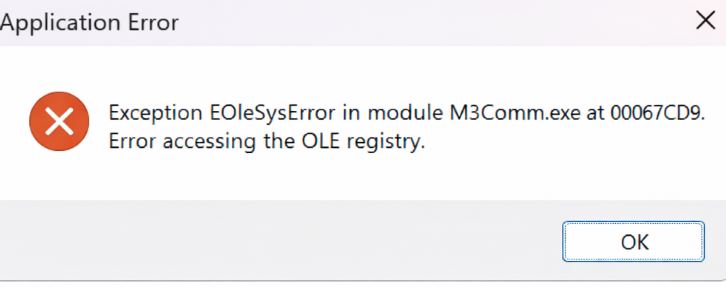
Users receive the error message "Exception EOleSysError in module M3Comm.exe at 00067CD9. Error accessing the OLE registry." when attempting to log in to M3. This issue may occur after a failed or interrupted Windows Update.
# Symptoms
- Error message appears upon logging into M3:
Exception EOleSysError in module M3Comm.exe at 00067CD9. Error accessing the OLE registry.
- The issue may begin following a failed or incomplete Windows Update
- Users are unable to proceed past the error to access M3
# Cause
The error is caused by corruption or misconfiguration in the OLE registry entries required by the M3 client, often triggered by a failed or interrupted Windows Update.
# Resolution Steps
# 1. Repair the M3 Client Installation
- Open Control Panel > Programs > Uninstall a program
- Locate Millenium 3 in the list of installed programs
- Click Change
- Select the Repair option
- Follow the prompts to complete the repair process
# 2. Reinstall the M3 Client (If Repair Fails)
If repairing the installation does not resolve the issue:
- Uninstall the M3 client completely
- Download or obtain the latest version of the M3 client installer
- Perform a fresh installation of the client
# Verification
- [ ] After repairing or reinstalling, attempt to log in to M3
- [ ] Confirm that the error message no longer appears and that the application launches successfully
Note: Administrative privileges may be required to repair or reinstall the M3 client. If the issue persists after a fresh install, consult your IT administrator or RoverERP support for further assistance.
# Additional Information
- Regularly update Windows and ensure updates complete successfully to prevent registry corruption
- Always back up important data before performing repairs or reinstallations