
# Enabling Account Security (ACCOUNT.CONTROL)
Read Time: 2 minute(s)
# Purpose
In Rover, your database is known as your account. The ACCOUNT.CONTROL procedure is used indicate that an account is to be secured for all users. This allows the System Administrator to specify that security is needed on an account by account basis. Each account must be entered with a Y in order to secure the account. Accounts either not listed, or which do not contain a Y are considered un-secured.
Accounts which are not secured will, upon user login, allow the entry of any user ID and not prompt for a password. Also, users who exit the menu (e.g. press the F1 key) will be left at the system level command prompt.
When security is enabled for an account, the user will be prompted for a password after they enter their user ID. This entry will be validated against their password in their user profile to verify access to the account. When secured, users exiting the menu (e.g. pressing the F1 key) are logged off.
WARNING: It is highly recommended to enable security on production accounts.
# Prerequisites
All users and their security profiles must be entered via the SECURITY.E procedure.
# Usage
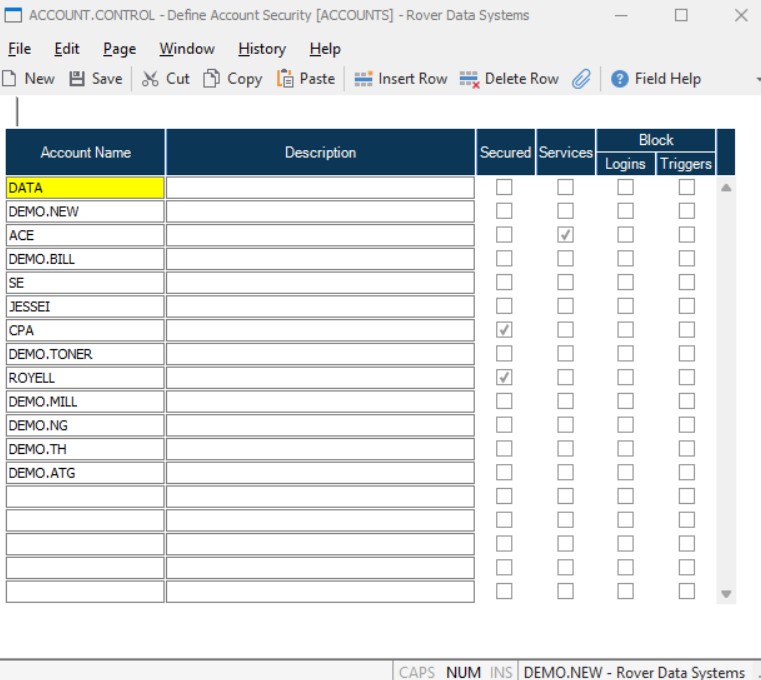
- The
IDof this record is always defaulted by the system as ACCOUNTS. Account NameEnter the name of each account on the system that you want to set security on now or in the future. The accounts do not have to present on the system at the time they are entered here.SecuredCheck this box if the associated account is to be under the control of security.ServicesCheck this box if services in the associated account are to be started automatically during a system restart.BlockCheck this box if users are to be blocked from logging into the associated account. This only applies to users whose security profile is set to USER. Administrators and programmers are not blocked.